![SalonInteractive-Logo-Color-Full-RGB.png]](https://pages.saloninteractive.com/hs-fs/hubfs/SalonInteractive-Logo-Color-Full-RGB.png?height=40&name=SalonInteractive-Logo-Color-Full-RGB.png)
OPTION 1
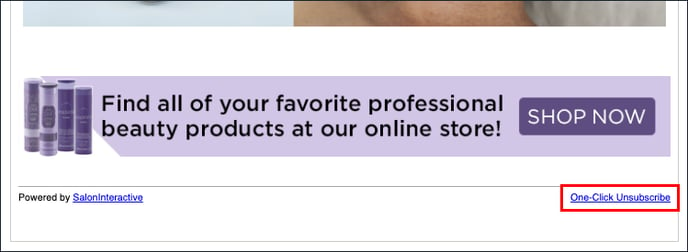
Your clients can unsubscribe themselves once they receive an email from you by clicking on the Unsubscribe link in the footer.
OPTION 2
You can unsubscribe clients individually:
Log Into SalonInteractive. From the menu, Click Clients.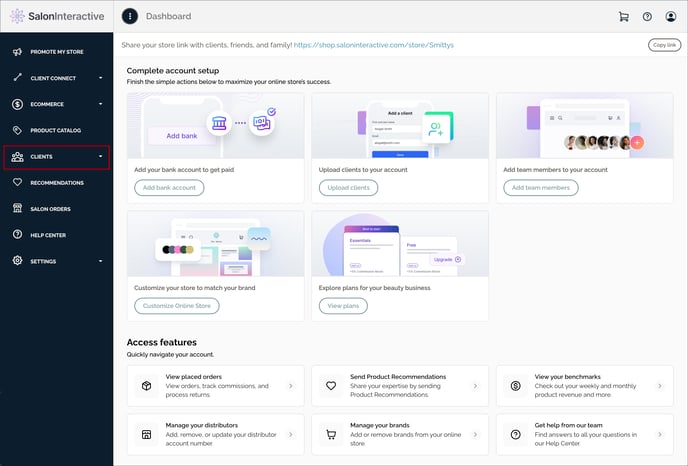
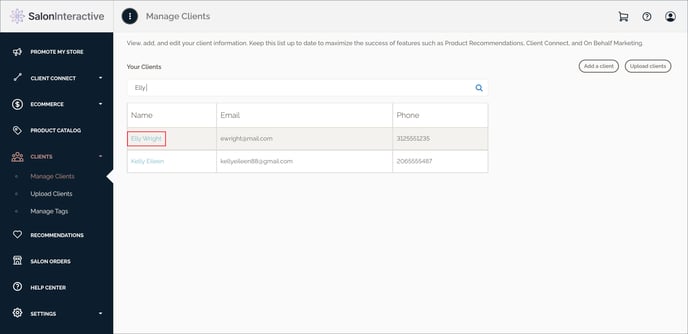
Click Manage Clients.
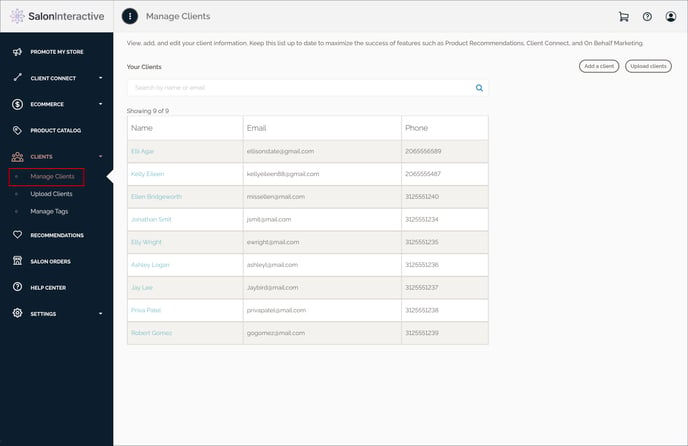
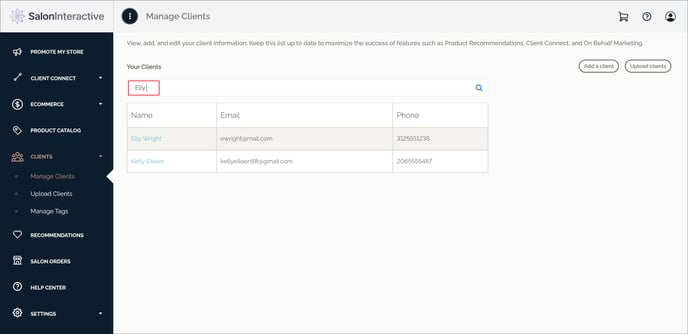
Search for and/or select a client for which you wish to unsubscribe.
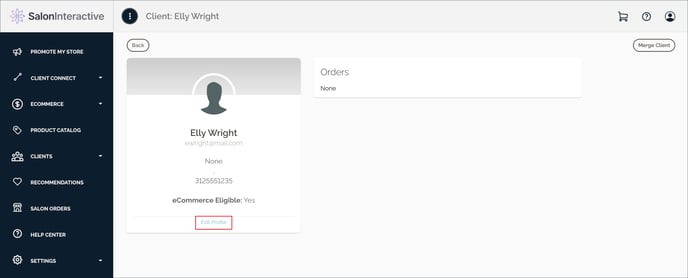
Click Edit Profile.
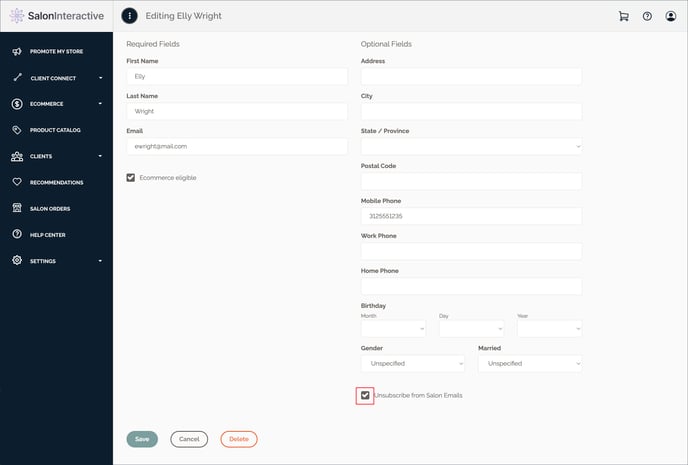
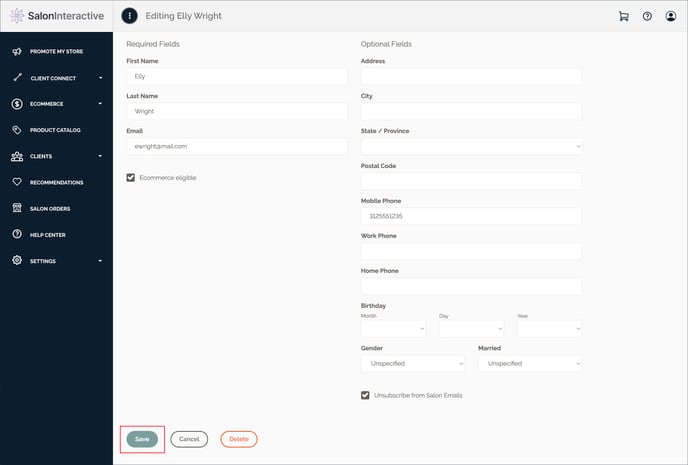
Click Unsubscribe From Salon Emails, and then click Save.
Resources:
How do I resubscribe a client who unsubscribed?
If you need help, we’re here for you. Give us a call at 312-300-0553 or open a case at support@saloninteractive.com.