![SalonInteractive-Logo-Color-Full-RGB.png]](https://pages.saloninteractive.com/hs-fs/hubfs/SalonInteractive-Logo-Color-Full-RGB.png?height=40&name=SalonInteractive-Logo-Color-Full-RGB.png)
When you make your first sale, we’ll send you an email, plus you’ll see this notification when you log into your SalonInteractive account:
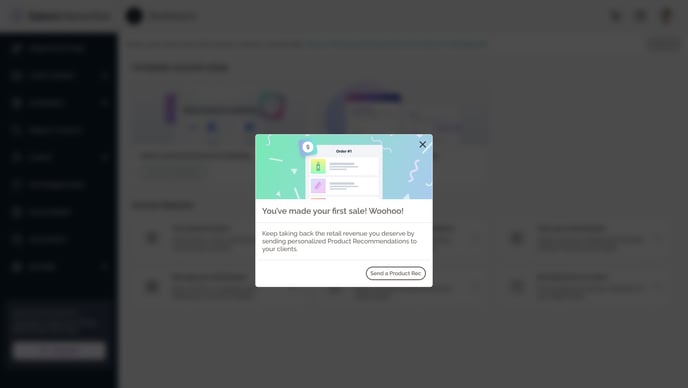
You can access all sales through your Online Store using the Orders report.
The first time you earn commissions, you’ll see this tile on your dashboard:
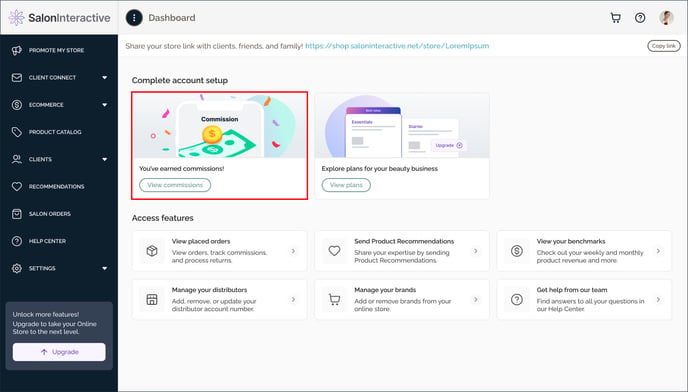
To view your commissions payouts, click the View commissions button on this tile.
(or access from your menu: eCommerce > Commissions)
Where do I view my commissions?
Resources:
How do I log into SalonInteractive?
Where do I view my commissions?
If you need help, we’re here for you. Give us a call at 312-300-0553 or open a case at support@saloninteractive.com.