![SalonInteractive-Logo-Color-Full-RGB.png]](https://pages.saloninteractive.com/hs-fs/hubfs/SalonInteractive-Logo-Color-Full-RGB.png?height=40&name=SalonInteractive-Logo-Color-Full-RGB.png)
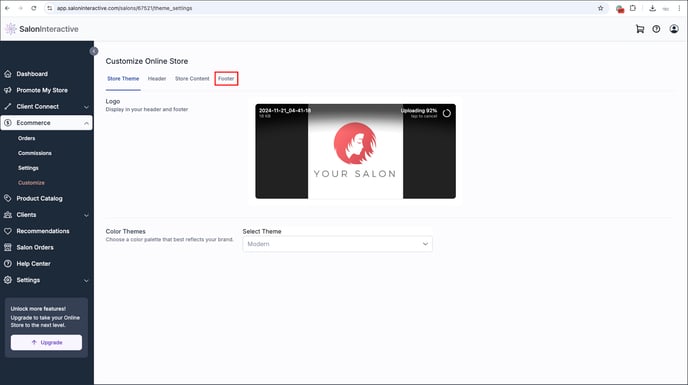
To get started, log into SalonInteractive. Then, from your menu, go to eCommerce, and Customize. Next, click Footer.
Copy and paste your booking link into the Appointment Booking link field.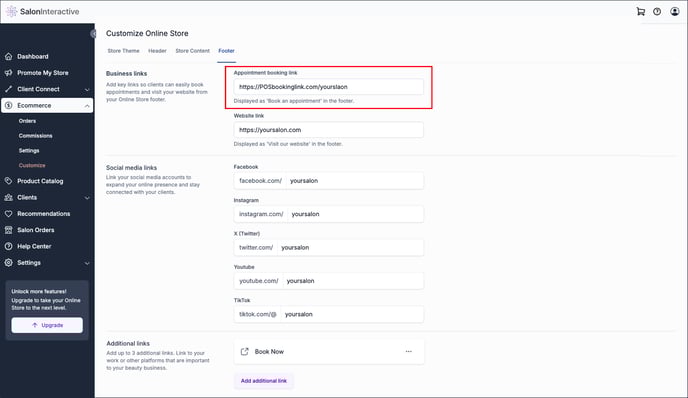
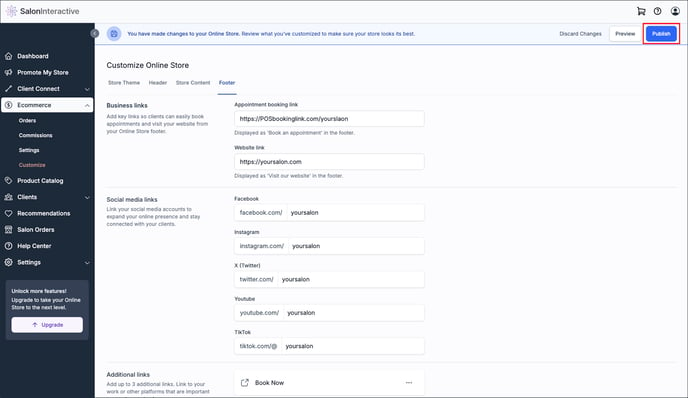
In the banner at the top of your screen, you can select Preview, Publish, or Discard Changes. Once you’ve previewed your footer information and are happy with it, click Publish.
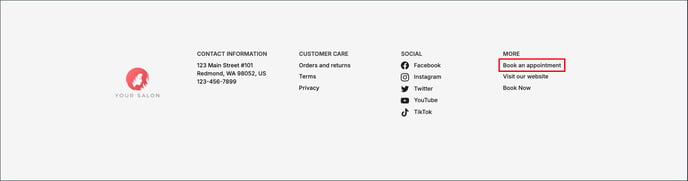
Your booking link will display in the footer section of your Online Store and email marketing as Book an appointment.
If you need help, we’re here for you. Give us a call at 312-300-0553 or open a case at support@saloninteractive.com.
Resources:
How do I customize my Online Store? (all Customize options)