![SalonInteractive-Logo-Color-Full-RGB.png]](https://pages.saloninteractive.com/hs-fs/hubfs/SalonInteractive-Logo-Color-Full-RGB.png?height=40&name=SalonInteractive-Logo-Color-Full-RGB.png)
Log in to SalonInteractive and go to your dashboard. Click On Behalf Marketing > OBM Home.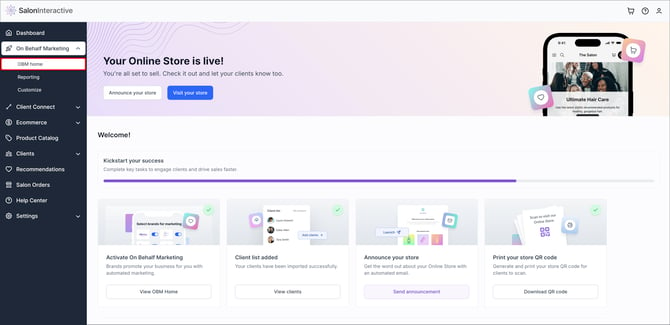
Here, you'll see a list of brands connected for OBM and underneath any OBM campaigns that are upcoming from either your distributor or favorite brands. Click View all campaigns.
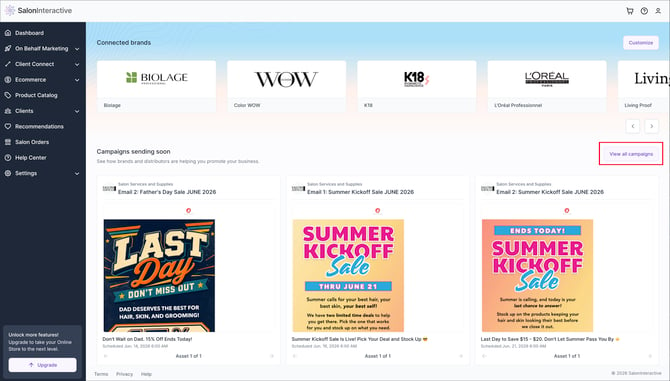
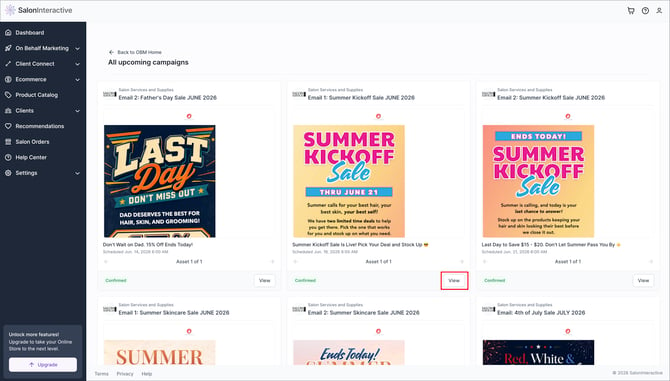
Scroll through the individual emails or email campaigns to see what the artwork will look like, the subject line, and when the start time for email deployment (local time for the distributor or brand).
To see any of the emails larger, click View.
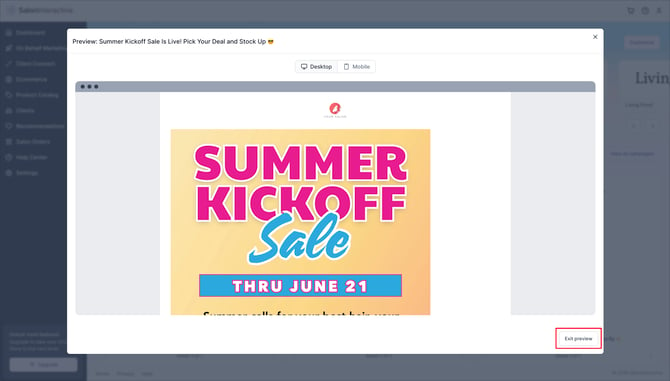
You can view for desktop and mobile. When done click Exit view.
-
If you are new to OBM, see What is On Behalf Marketing and how does it work?
- If you'd like to manage the brands or OBM email types your clients will receive, see How do I manage On Behalf Marketing?
If you need help, we’re here for you. Give us a call at 312-300-0553 or open a case at support@saloninteractive.com.