![SalonInteractive-Logo-Color-Full-RGB.png]](https://pages.saloninteractive.com/hs-fs/hubfs/SalonInteractive-Logo-Color-Full-RGB.png?height=40&name=SalonInteractive-Logo-Color-Full-RGB.png)
On Behalf Marketing Integration
Log in to your Meevo account.
Click Integrations.
Find and click the SalonInteractive OnBehalf Marketing Xchange tile.
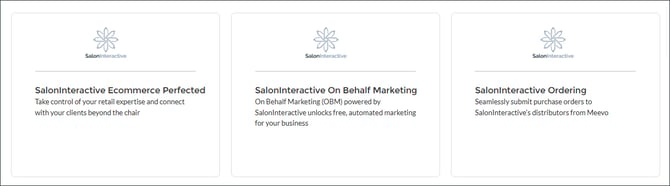
From the tile, click the link and sign in to SalonInteractive (or open an account).
If you need to open an account, follow these instructions:
🔗 How do I set up my Online Store/Account?
Note: You will need your beauty supplier account number and salon ZIP code to set up your account.
Otherwise, allow 24 hours for your clients to sync to SalonInteractive.
NOTE: Make sure your OBM settings include the brands you want for the types of marketing emails you'd like your clients to receive.
From your SalonInteractive menu, click On Behalf Marketing and OBM Home. Here, you’ll see the types of OBM emails and brands that are turned on.
🔗 How do I manage On Behalf Marketing?
SalonInteractive: Purchase Order Integration.
Go to Integrations in Meevo and select SalonInteractive.
Select Edit.
Select Authorize.
Integrated Ordering with SalonInteractive
You will receive order fulfillment notifications from your distributor(s). The order submission process differs depending on the distributor:
Direct Ordering
If you use Evolve or Evolvh, orders are automatically submitted to the distributor from the Meevo system. No additional actions are required.
Cart Transfer Ordering
In the case of SalonCentric, Salon Services Pro, Premier Beauty, TruBeauty Concepts, and Sweis Inc., when you complete an order, Meevo will launch a new tab with the distributor's website. Simply sign in, and you will see the products populated in the distributor's cart. Follow any prompts to complete your order.
For more detailed information on connecting, reference Meevo’s help topics here.
If you need help, we are here for you. Give us a call at 312-300-0553 or open a case at support@saloninteractive.com. If you need help logging into Meevo, click here.